AI & UA: Stunning Statics With Midjourney

Richard Kos
Richard Kos is a game marketing enthusiast who likes writing about all things Gaming Growth considered.
Published on Sep 20, 2024in AI, User Acquisition
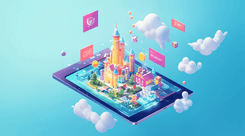
In the world of game marketing, visuals are everything. To captivate players and drive conversions, your game banners need to stand out. This guide will show you how to leverage AI tools like Midjourney to craft high-quality, visually compelling game banners. Whether you’re aiming for mobile, desktop, or social media formats, we’ll cover the key aspect ratios and techniques needed to create eye-catching designs.
Step 1: Get Started with Midjourney
First, you’ll need to sign up on Midjourney. It’s an AI-driven creative platform that allows you to generate high-quality images using specific prompts. Here’s how to get started:
- Visit the Midjourney website.
- Click “Sign Up” and log in using your preferred account (Google SSO or Discord).
- Explore the platform’s web app, which provides tools to create unique images that are perfect for game banners.
Step 2: Crafting the Perfect Prompt
Your prompt is everything when using Midjourney to generate creative visuals. Describe your game’s theme, characters, and environment with precision. For example, if you’re designing a banner for a farming game, your prompt might look like this:
isometric view of a charming town with colorful buildings and a central plaza featuring a fountain. There’s a yellow school bus on the road. The scene has a playful cartoonY aesthetic, with lush greenery –v 6.1
This detailed description allows the AI to craft a vivid and compelling scene for your banner.
Step 3: Using Image References
Midjourney also offers a Style Reference feature, enabling you to upload an existing image and use it to guide the AI’s creative output. For instance, you can upload an older banner from your game, then combine it with a prompt to ensure the generated image aligns with your established aesthetic.
Here’s how to do it:
- Upload an image that matches the style of your game.
- Merge the reference with your text prompt to create a tailored banner that reflects your game’s unique vibe.
Step 4: Choose the Right Aspect Ratio
When designing game banners, the visual layout is crucial. There are three key aspect ratios to keep in mind:
- 1:1 (Square): Ideal for social media posts.
- 9:16 (Portrait): Commonly used for mobile advertisements.
- 16:9 (Landscape): Perfect for web or desktop banners.
While Midjourney typically creates square images by default, you can easily adjust the aspect ratio after generating an image. The platform allows you to manually change the ratio using the Pan arrows in the editor.
Step 5: Upscale for Better Quality
Once you’ve created an image, it’s time to upscale it for better quality. Midjourney offers two upscaling options:
- Upscale (Subtle): Doubles the size of your image while retaining most original details.
- Upscale (Creative): Also doubles the size, but adds new, creative details to enhance the visual.
Upscaling is vital to ensure your banners look sharp and professional across various devices, from smartphones to large desktop screens.
Step 6: Add Compelling Text and a Strong CTA
Text is a key element of any game banner. After you’ve created the perfect image, overlay it with attention-grabbing text and a clear call to action (CTA). Keep the following in mind:
- Text readability: Ensure that your text contrasts well with the background.
- CTA: Make the next step clear with strong messaging like “Play Now” or “Download Today.”
Final notes
Ready to craft your own stunning game banners? Start using Midjourney now and create high-converting creatives that captivate your audience.
FAQs
Can Midjourney be used to create game ad creatives?
Yes. Midjourney can be used to create visual concepts, backgrounds, characters, environments, and banner-style images for game advertising. It is especially useful for producing early creative ideas and testing different visual directions quickly.
Is Midjourney good for mobile game user acquisition?
Midjourney can be useful for mobile game UA because it helps teams create more visual variations for testing. UA teams can use it to explore different characters, environments, moods, and ad concepts before investing in full production.
What should a Midjourney prompt include for game banners?
A good Midjourney prompt for game banners should include the game genre, art style, setting, character type, mood, composition, and intended ad format. The more specific the prompt, the easier it is to generate visuals that match the game’s positioning and audience.
Can I use existing game art as a reference in Midjourney?
Yes. Using existing game art or older banners as a reference can help keep new AI-generated visuals closer to the game’s style. This is useful when you want to create fresh ad concepts without losing the visual identity of the game.
What aspect ratios should I create for game ads?
The most common aspect ratios for game ads are 1:1 for square placements, 9:16 for mobile portrait ads, and 16:9 for landscape banners or video-style placements. Creating several formats helps the same concept work across different platforms and placements.
Should AI-generated banners include text?
Yes, but the text should usually be added after the image is generated. This gives you more control over readability, contrast, messaging, and localization. For UA creatives, the text should be short, clear, and focused on the main player motivation.
What makes a good CTA for a game banner?
A good CTA should be simple and action-oriented. Examples include “Play Now,” “Download Today,” “Build Your Kingdom,” or “Start Your Adventure.” The best CTA depends on the game genre, audience, and creative angle being tested.
Can AI-generated creatives replace human designers?
No. AI tools can speed up ideation and production, but human designers are still needed for quality control, brand consistency, composition, typography, and final polish. The strongest workflow is usually AI for fast concept generation and humans for refinement.